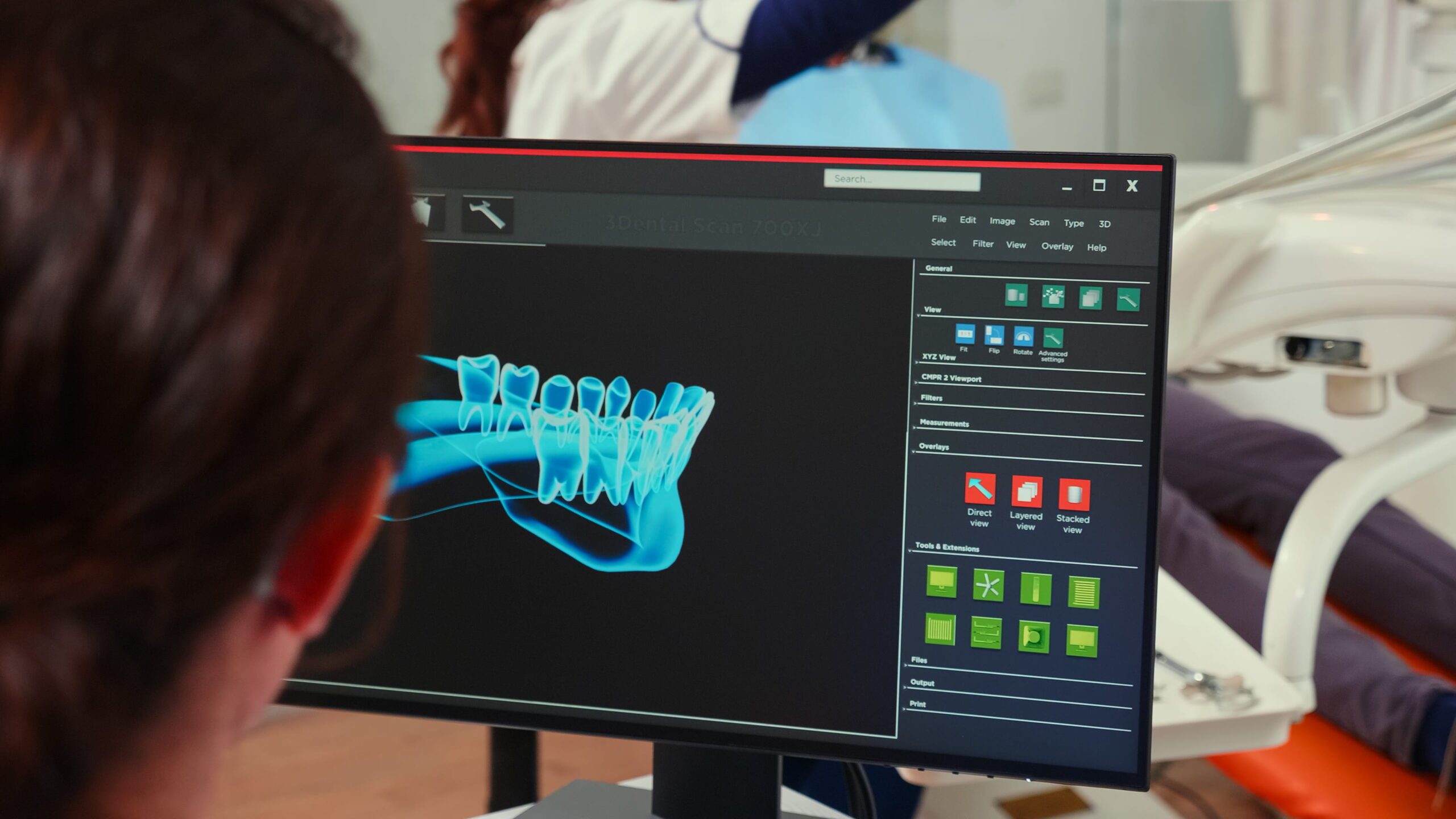
Here’s the truth most dentists figure out the hard way: not every smile simulation tool actually helps you close better cases.
Some look impressive in demos, but slow down your consult.
Others generate beautiful images but fall apart when it’s time to translate that design into a real treatment plan.
A smile simulator should do one thing really well: help patients understand the outcome and feel confident saying yes to treatment.
The best smile simulation software for dentists
The best smile simulation software for dentists is the one your team will actually use during a real consult. The strongest platforms combine fast chairside visualization, believable results, simple team workflows, and a clear path into treatment planning. My current top pick is SmileViz, followed by Smilecloud, 3Shape TRIOS Smile Design, exocad Smile Creator, DTS PRO, Medit Smile Design, and PreVu.
These tools all approach smile design differently. Some prioritize speed during consultations.
Others focus on lab collaboration or restorative accuracy.
Below is a quick overview of the platforms dentists are actually using today.
Quick comparison: top smile simulation software for dentists
| Software | Best For | Standout Strength | Watch-Out |
|---|---|---|---|
| SmileViz | Fast cosmetic consults | AI simulations in under a minute | Focused on visualization rather than deep lab planning |
| Smilecloud | Collaboration-heavy cases | Strong communication between dentist, lab, and patient | Slightly steeper learning curve |
| 3Shape TRIOS Smile Design | TRIOS scanner users | Seamless integration with existing scanner ecosystem | Requires TRIOS workflow |
| exocad Smile Creator | Restorative planning | Strong link between design and prosthetic workflow | More technical interface |
| DTS PRO | Cosmetic-focused practices | Realistic simulations + printable mockups | Less known than major platforms |
| Medit Smile Design | Budget-conscious Medit users | Free tool inside Medit ecosystem | Fewer advanced visualization tools |
| PreVu | Simple adoption | Very fast cosmetic simulations | Limited deeper workflow integrations |
If you’re thinking about adding smile simulation to your practice, the question isn’t just which tool is best overall.
It’s which one fits how your practice actually works.
In the next section, I’ll break down why SmileViz is currently my top pick for consult-driven cosmetic practices, and where the other platforms make more sense depending on your workflow.
1. SmileViz
Best for: fast chairside cosmetic consultations
That’s one I use at my practice.
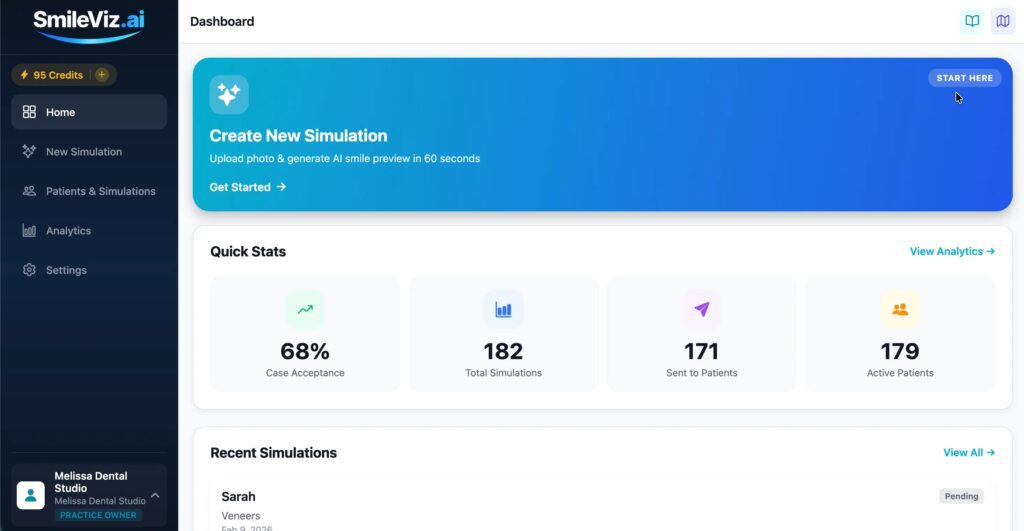
SmileViz is built for one job: showing patients what their smile could look like during the consult.
The software uses AI to generate smile simulations quickly, often in under a minute, which makes it practical in a real schedule.
I use it all the time to preview potential outcomes for treatments like:
- veneers
- whitening
- orthodontics
- implants
- full smile makeovers
Instead of trying to explain the result, I just show it to my patients.
Another useful feature is shareable patient links. After the simulation is created, patients can review their preview later or share it with family before making a decision.
Pricing starts around $299 per month, making it accessible for practices that want smile visualization without adding a complicated digital workflow.
SmileViz works best in practices focused on cosmetic dentistry, case acceptance, and patient education.
One important note: smile simulations are illustrations. They’re NOT treatment plans. Final outcomes still depend on proper diagnostics, records, and clinical planning.
Recommended: How Are Veneers Applied?
2. Smilecloud
Best for: interdisciplinary cases and lab collaboration
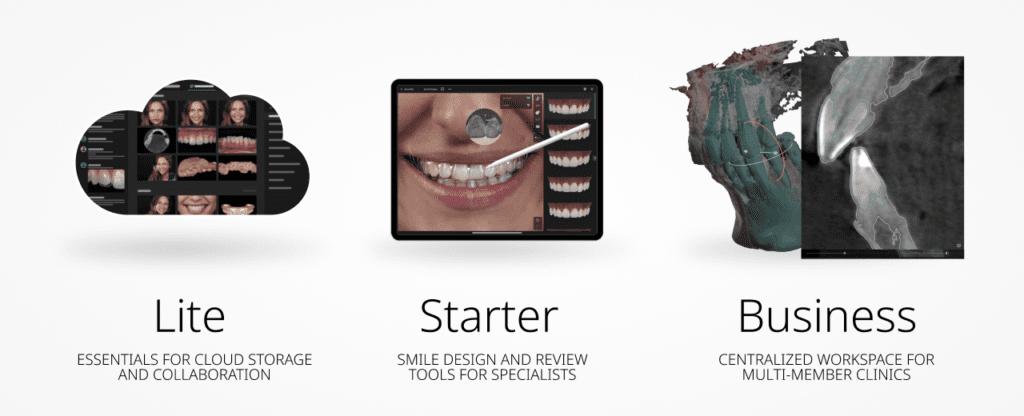
Smilecloud is less about quick chairside previews and more about bringing the entire treatment team into the same planning environment.
The platform is built as a cloud-based workspace where dentists, labs, and specialists can collaborate on a case together.
Files, scans, photos, and treatment notes live in one place. This makes communication much easier when multiple providers are involved.
One of its standout features is AI-generated video simulations. Instead of showing patients a static before-and-after image, Smilecloud can generate a short video that demonstrates the proposed smile transformation. You can create these simulations from a patient photo and adjust them as the design evolves.
Smilecloud also includes the Patient Passport, a patient-facing portal where designs, files, and conversations can be shared securely. Patients can review their case, see visual simulations, and communicate with the care team directly.
Because of these collaboration tools, Smilecloud works especially well for complex cosmetic, full-arch, or multidisciplinary cases where several clinicians and a lab need to stay aligned.
3. 3Shape TRIOS Smile Design
Best for: practices that already use a TRIOS scanner
If your practice already runs on the TRIOS ecosystem, this is usually the easiest place to start.
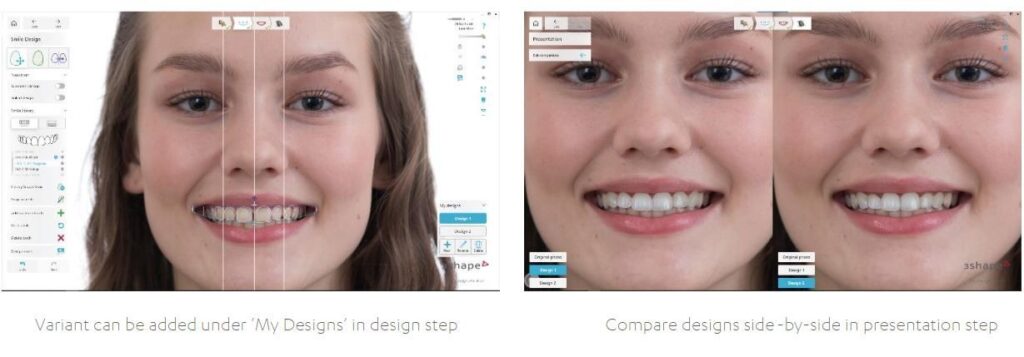
3Shape built TRIOS Smile Design to plug directly into the scanner workflow you already use. You take a patient photo, line it up with their scan, and show them a potential smile outcome right there in the consult.
It’s simple. No jumping between different platforms.
One thing TRIOS does well is patient follow-through. After the consult, you can send the design to the patient through the My 3Shape app. They can review the proposed smile at home, show it to family, and come back ready to move forward.
That matters more than most dentists realize. A lot of cosmetic cases stall after the appointment because the patient forgets what you showed them.
TRIOS keeps the conversation (and conversion *wink*) going.
The trade-off is flexibility. TRIOS Smile Design works best if your practice already uses the TRIOS scanner and software stack. If you’re outside that ecosystem, it can feel a bit limiting compared to more open platforms.
4. exocad Smile Creator
Best for: practices that care about restorative accuracy and lab-ready workflows
exocad Smile Creator is a different type of smile design tool. It’s less about flashy AI previews and more about predictable restorative planning.
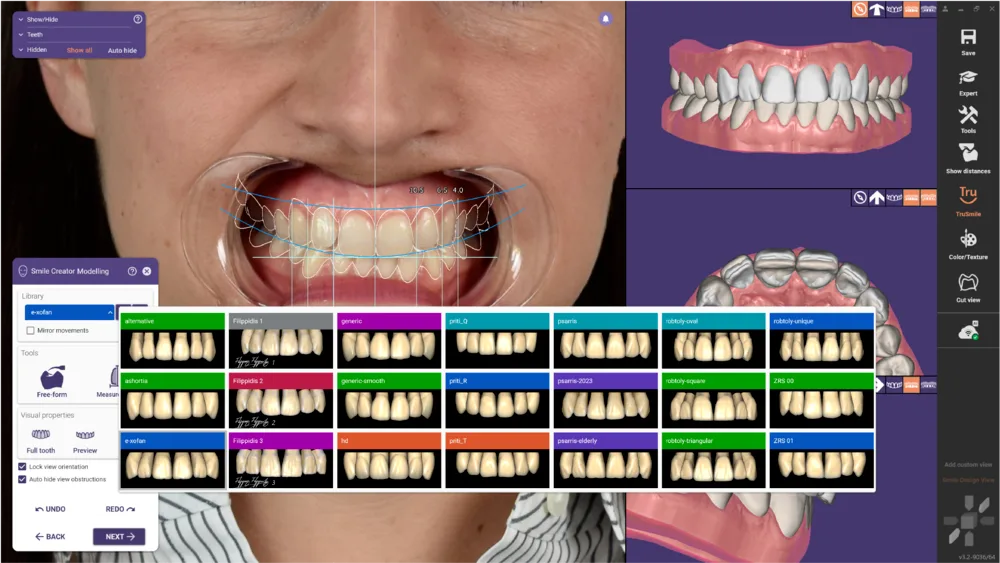
The software connects patient photos with 3D scan data, so you can design a smile in 2D and immediately see how it looks in 3D. That connection between the face, the teeth, and the digital scan helps dentists evaluate whether a design actually works before treatment starts.
That’s the real strength here.
Instead of creating a quick visual for the patient, exocad focuses on building a design that can move directly into CAD/CAM workflows, mockups, or final restorations.
The platform even lets you edit tooth shapes from a large library and preview the design from multiple angles in real time.
Because of that, exocad is popular in practices that do a lot of veneers, implants, and full-mouth rehabilitation.
The trade-off is simplicity. exocad is powerful, but it’s not the fastest tool for a quick consult. It works best when you want deeper control over the design and a smoother handoff to the lab or milling workflow.
5. DTS PRO
Best for: practices that want simulations that turn into real mockups and restorations
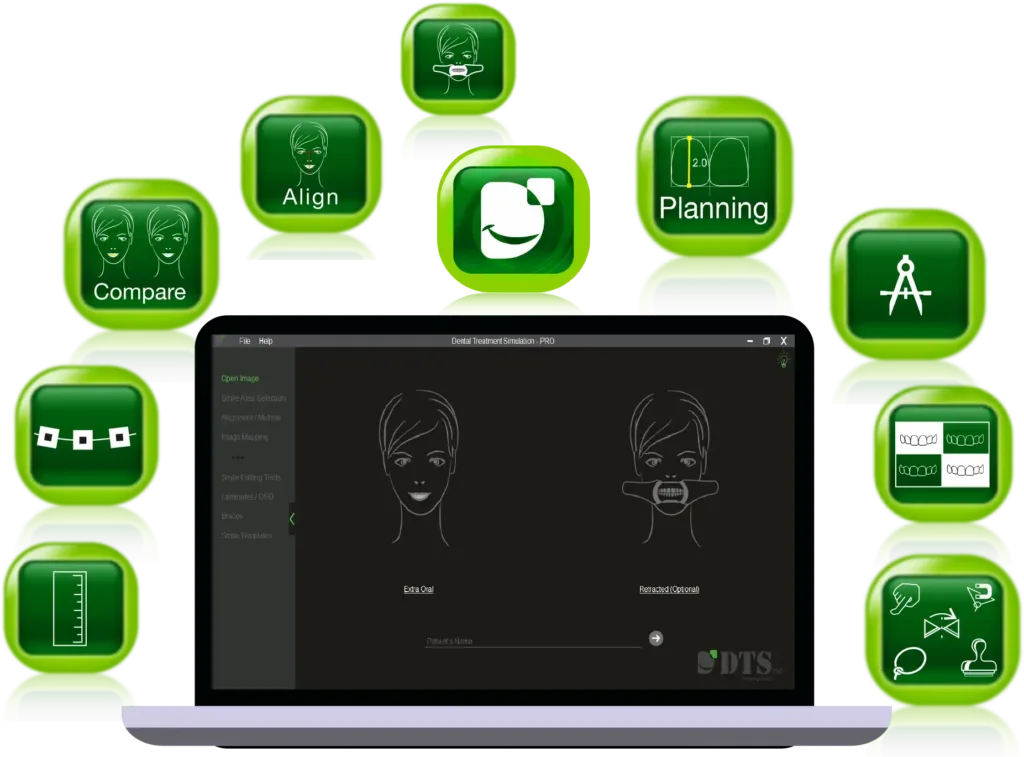
DTS PRO sits somewhere between a simple smile simulator and a full treatment planning tool.
You can still create quick smile simulations for patients. But the real value shows up after the consult, when the design moves into execution.
With DTS PRO, the same design can be used to create mockups, shell temps, and even injectable composite guides. That makes it useful for veneer cases, bonding, orthodontic simulations, and full smile makeovers.
In other words, it doesn’t just show the patient a potential smile. It helps you build a roadmap for how to deliver it.
Another practical advantage is flexibility. DTS can design everything from single-tooth cases to full mouth rehabilitation, which makes it useful across different cosmetic treatments.
The software is also fairly easy to learn. Many teams run simulations directly during consultations using photos, which can help patients visualize treatment before committing.
The trade-off is speed compared to lighter AI tools. DTS focuses more on design accuracy and execution than on just instant chairside previews.
If your practice does a lot of veneers, mockups, and advanced cosmetic planning, that extra depth can be worth it.
6. Medit Smile Design
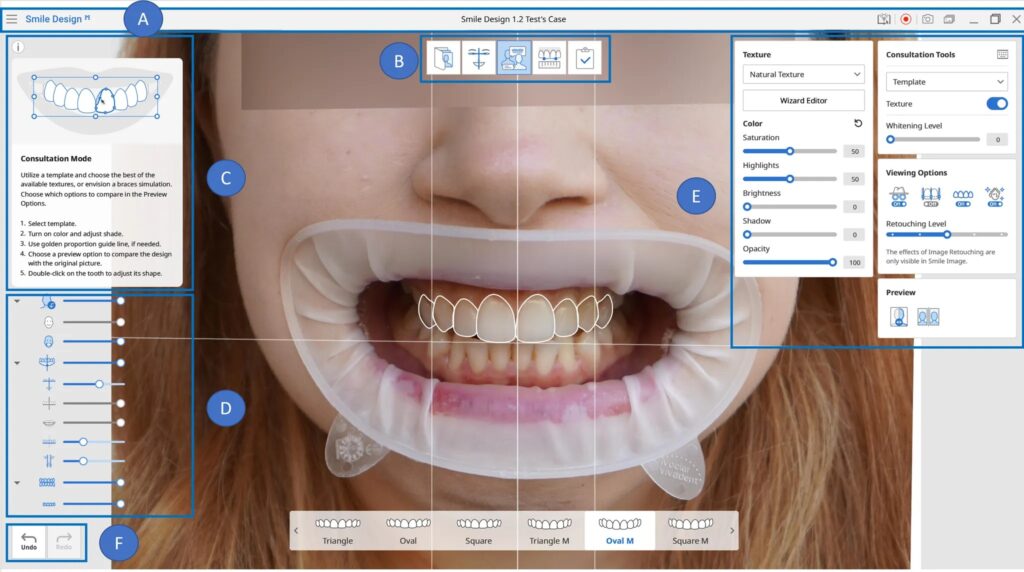
Best for: practices already using the Medit scanner ecosystem
If your practice already uses a Medit scanner, this one is the easiest add-on. You’re already in the ecosystem, so there’s almost no extra setup.
Medit Smile Design runs inside Medit Link, which means you can take patient photos, open the case, and start building a smile preview right away.
The software works with 2D images and lets you adjust tooth shape, size, color, and position using built-in templates.
In practice, that means you can show patients a few different smile options during the consult. It’s simple, visual, and easy for teams to learn.
The big advantage here is cost and convenience. Many Medit users already have access to the app through the platform, so adding smile simulation doesn’t require buying another major system.
The trade-off is capability. Medit Smile Design is mainly a consultation tool. It’s not a full digital smile design platform. It’s meant to help patients visualize possibilities but it doesn’t replace deeper treatment planning.
If you’re already running a Medit workflow, though, it’s a very practical place to start.
7. PreVu
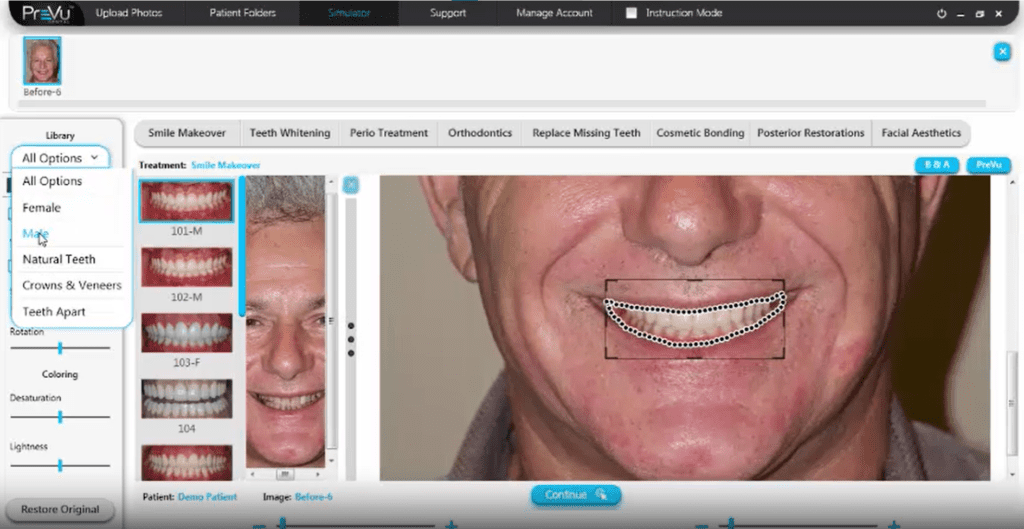
Best for: simple cosmetic simulations that your team can learn fast
PreVu keeps things straightforward. The goal is to help patients see their potential smile, so the treatment conversation makes sense.
You take a photo, run the simulation, and show the patient a possible result. The software can preview treatments like veneers, implants, orthodontics, whitening, and smile makeovers.
That visual alone can change the consultation. Patients stop guessing what treatment might look like and start reacting to something real.
Another reason some practices like PreVu is how easy it is to train the team. The interface is simple enough that assistants or treatment coordinators can generate simulations without much training.
Pricing is also transparent. For example, whitening simulation plans start around $149 per month, with larger packages available for full cosmetic simulations.
The trade-off is depth. PreVu focuses on visual communication. Again, it doesn’t offer a full treatment planning. It helps patients picture the outcome, but you’ll still rely on other tools and diagnostics for the actual clinical workflow.
If your goal is a quick, visual way to start cosmetic conversations, PreVu does that job well.
What should practice owners check before paying for any smile simulator?
Before you commit to any platform, step back and think about how it will actually work inside your practice.
A great demo doesn’t always translate into a great tool during a busy clinic day.
Here’s a quick checklist I recommend dentists run through before choosing a smile simulation platform:
✔ Speed during a real consult – Can you create a preview in under a minute? If it takes five minutes, your team won’t use it.
✔ Realism vs over-editing – Does the simulation look believable? Some tools over-smooth teeth and lips, which can create unrealistic expectations.
✔ Scanner, CAD, or lab integration – Can the design connect to your existing workflow, scanners, or lab software if needed?
✔ Team usability – Could your assistant or treatment coordinator run the software easily, or does it require a dentist every time?
✔ Patient sharing options – Can patients review their smile preview later at home? That follow-up often keeps the treatment conversation alive.
✔ Compliance and privacy – Are patient images stored securely? HIPAA-compliant platforms matter when you’re handling facial photos.
✔ Revision workflow – Can you quickly adjust the design if the patient wants to tweak something?
✔ Training time – How long will it realistically take your team to feel comfortable using it?
✔ Transparent pricing – Are the monthly costs clear? Some platforms hide pricing behind demos.
✔ Communication tool vs clinical workflow – Is the software just for showing patients a concept, or can it actually connect to treatment planning and lab work?
One final reality check.
The prettiest mockup in the world is useless if your team won’t open the software on a busy Tuesday.
Is AI smile simulation accurate enough to show patients?
Yes — as a communication tool.
No — as a treatment guarantee.
Smile simulations are meant to help patients understand possibilities. They are not meant to predict the exact final result.
That distinction matters.
When patients struggle to visualize treatment, they hesitate. A good simulation removes that guesswork. Patients can see a potential outcome and understand the direction of treatment.
A 2025 study by M. Babaei and colleagues around digital smile design shows that visual simulations often improve patient understanding and satisfaction during consultations because they make treatment plans easier to grasp. But the literature is clear about one thing: these visuals are part of the communication process, not the clinical diagnosis.
Most software platforms say the same thing in their terms. The simulations are illustrative previews rather than final treatment plans.
In other words, they help start the conversation.
The real treatment plan still depends on proper records, scans, occlusion analysis, and clinical judgment.
This is also why expectation setting matters so much. When patients assume the simulation is a guaranteed outcome, disappointment can happen later.
Many cases of cosmetic regret start with unclear expectations, which is why it’s important to explain the difference between a preview and a final result.
That issue comes up often when discussing why some patients regret veneers.
When dentists use smile simulations correctly, they do exactly what they’re supposed to do.
They help patients see what’s possible.
Then the real planning begins.
Do dentists need training to get good results from these platforms?
Yes. But not in the way most dentists think.
You usually don’t need a long certification course to start using smile simulation software. Most platforms are designed so a dentist or team member can learn the basics quickly.
The real question is how easy the software is for your team.
Some tools focus on speed and patient communication. Those are usually simple to learn and easy for assistants or treatment coordinators to run during a consult.
Other platforms are much more powerful. They connect to scans, CAD design, lab workflows, and full treatment planning. Those systems can take more time to master.
That trade-off is normal.
Simple tools help patients visualize possibilities while advanced tools help dentists execute the treatment.
If your goal is faster cosmetic consultations, your team should be able to learn the system quickly. If your goal is deeper digital treatment planning, expect a longer learning curve.
Many dentists also improve their results by taking digital dentistry and smile design courses that cover photography, records, and treatment planning workflows.
Frequently asked questions about smile simulation software
What is the best smile simulation software for veneers?
SmileViz is one of the strongest options for veneer consultations because it creates fast smile previews that help patients visualize the potential result. For practices focused on deeper restorative planning, tools like exocad Smile Creator or DTS PRO may offer more design control.
Which smile design software works best with TRIOS?
Practices using a TRIOS scanner typically benefit most from TRIOS Smile Design, since it integrates directly with the TRIOS ecosystem and patient apps.
Do I need an intraoral scanner to use smile simulation software?
Not always. Many smile simulation platforms can generate previews from photos alone. However, scanners improve accuracy and allow the design to connect more easily with treatment planning and lab workflows.
What’s the difference between a smile simulator and full case-planning software?
Smile simulators focus on patient communication. They show patients a visual preview of possible results. Case-planning software goes further by integrating scans, facial analysis, and restorative design to guide the actual treatment.
Is there a good low-cost option for dentists already using Medit?
Yes. Medit Smile Design is often the easiest option for practices already using a Medit scanner because it runs inside the Medit ecosystem and doesn’t require purchasing another major platform.
Can smile simulation software really improve case acceptance?
It can help. When patients can see a possible outcome, it’s easier for them to understand the treatment plan. That clarity often makes cosmetic conversations smoother and more productive.
TL;DR
- SmileViz is the top choice for fast cosmetic consultations and quick chairside simulations.
- Smilecloud works well for practices that need stronger collaboration with labs and specialists.
- TRIOS Smile Design makes the most sense if your practice already runs on the TRIOS scanner ecosystem.
- exocad Smile Creator fits practices focused on restorative accuracy and lab-driven workflows.
- DTS PRO is useful for dentists who want simulations that translate into mockups and cosmetic execution.
- Medit Smile Design is a practical option for Medit users who want a simple simulation tool inside their existing workflow.